Fast team split

Fast team split

Connections between scenes

Inputs

  • Participants

Outputs

  • Teams

Results

Publication

  • Teams

Download

  • Teams

Record (Pro plan only)

  • Teams

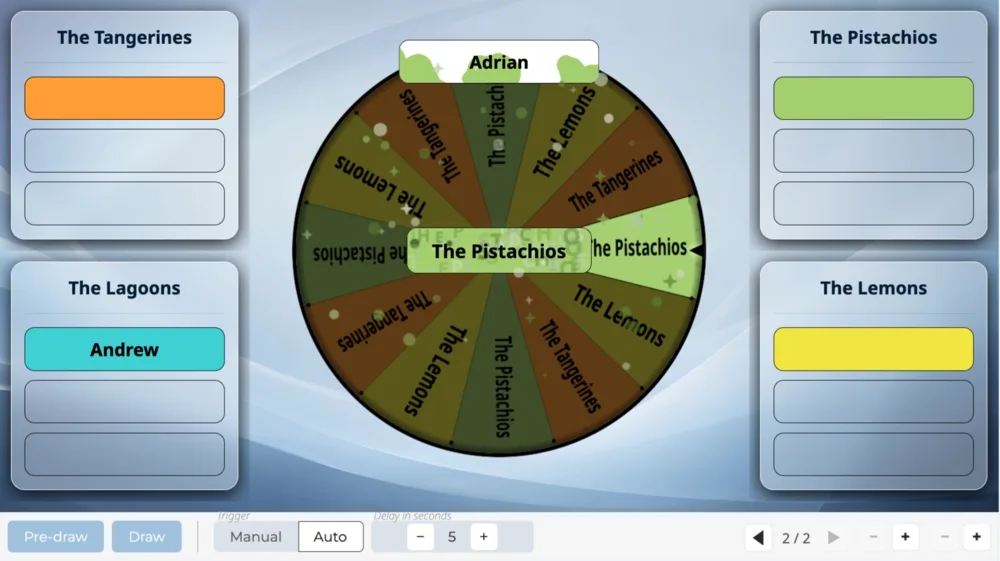
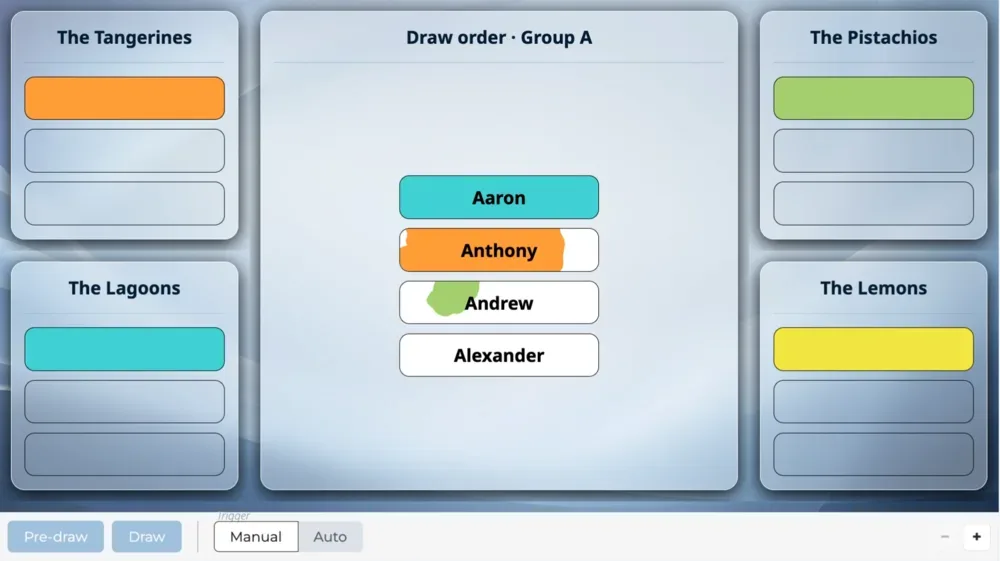
A Pre-draw reveals the next names, one click sends them all to their teams, turn after turn.

Overview

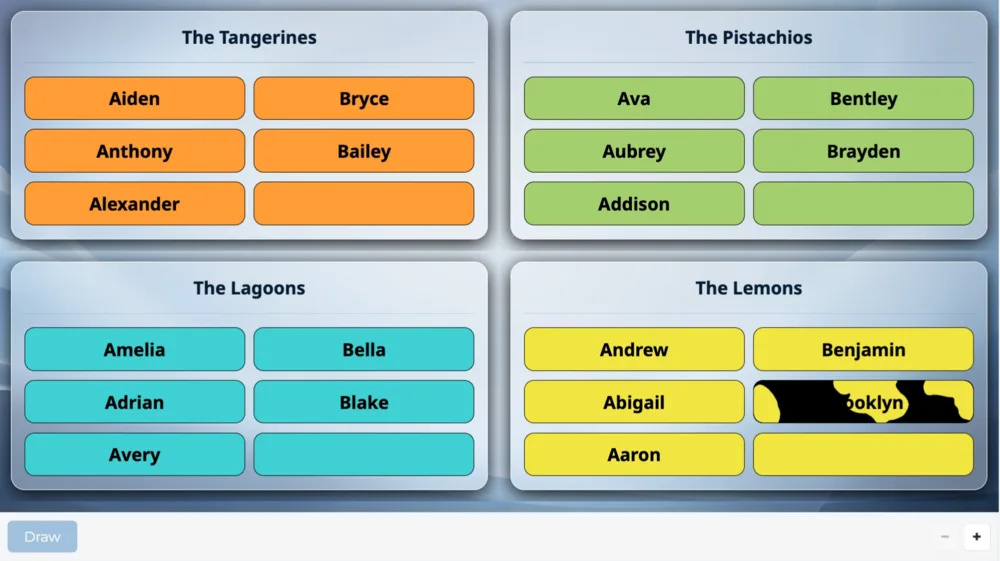
Fast team split: the next names to place are revealed in the middle of the screen, in drawn order. A single click on the Draw button in the scene's control bar sends each name to its team. The next turns are then revealed and placed on their own, until every team is full.

When to use it

To split a lot of participants when time is short. Teams fill up evenly, turn after turn.
Frequently asked questions

How many participants can I add?

The number of participants depends on your plan:

  • 100 participants on the “Discovery” plan,
  • 1,000 participants on the “Essential” plan,
  • 10,000 participants on the “Pro” plan.

Same-day sign-ups have their own limit

Having people sign up on the day is counted separately:

  • 25 sign-ups on the “Discovery” plan, by QR code,
  • 100 sign-ups on the “Essential” plan, by QR code or at a kiosk,
  • 1,000 sign-ups on the “Pro” plan, by QR code, at a kiosk or from a web form.

Can I display my logo and title on screen?

Yes, from the “Essential” plan up: the screen header carries your logo and the title of your event, on every scene.

On the “Discovery” plan, the header stays the Randraw.studio header: its logo, in place of yours.

Scenarios that include this scene

Building mixed teams

Four teams prepared in advance gradually fill up with the boys and the girls, then take turns on screen.

Create a studio
TeamMixer
TeamDivideSpeed
ShowTeams